
Local SEO · August 21, 2026
Schema markup for local businesses, in plain English

By Zac Spencer · Owner, Crave Media
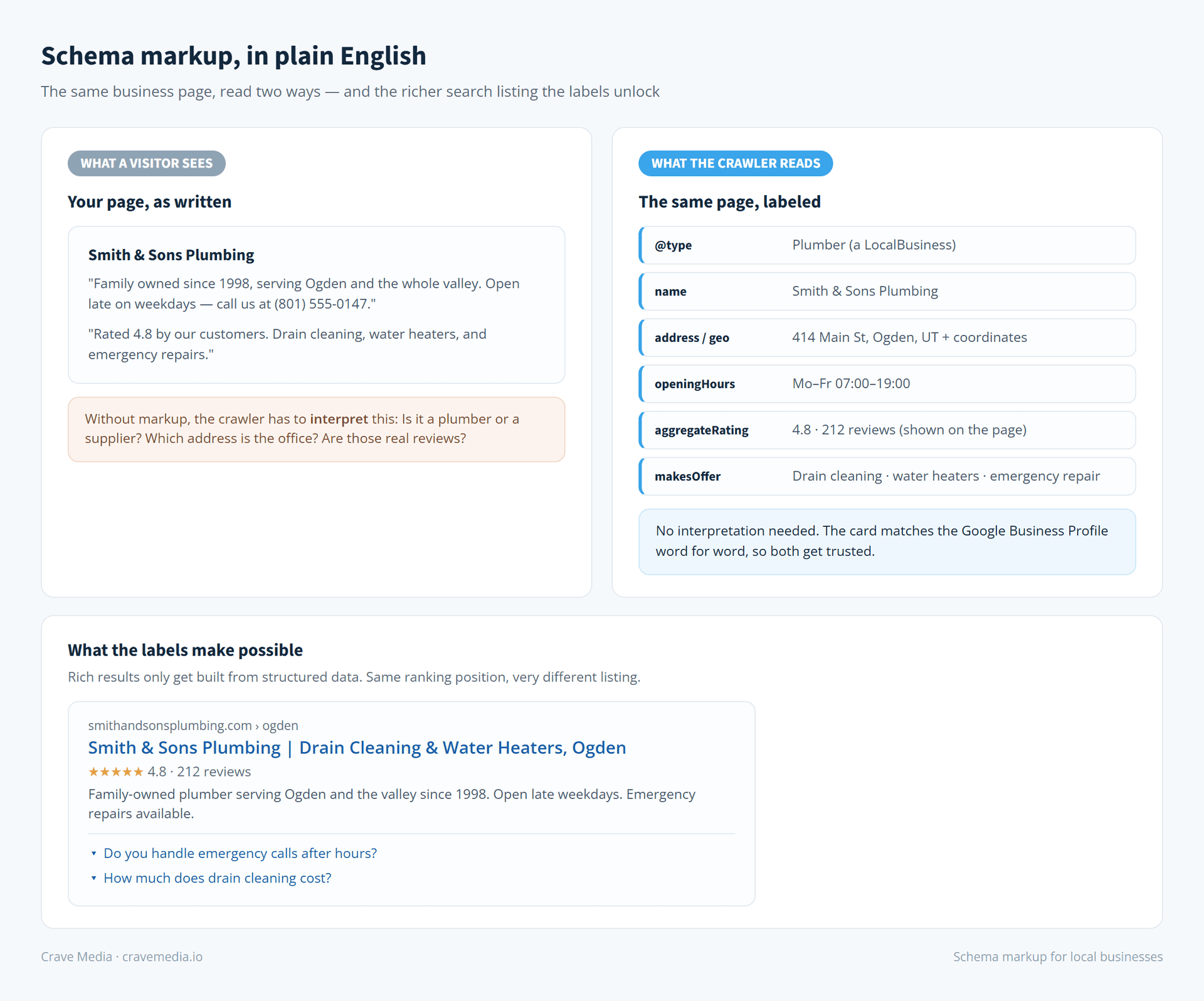
Your website says "Family owned since 1998, serving the whole valley, open late on weekdays." A person reads that and knows exactly what kind of business you are. Google's crawler reads it and sees a string of words it has to guess about.
Schema markup is how you stop making Google guess. It's a layer of labels, invisible to visitors, that tells search engines in their own language: this is a plumbing company, here's the address, these are the hours, this is the service area, here's the average review score. Schema markup for a local business is one of those jobs that sounds technical, takes an afternoon, and then quietly works in the background for years.
This post explains what it is, what it does and doesn't do for your rankings, and how to get it added without touching code.
The index card analogy
Think of every page on your site as a document Google has to file. Without schema, Google reads the whole page and files it based on its best interpretation. It's good at that, but "good at interpreting" still leaves room for error: is "Smith & Sons" a plumber or a law firm? Is that address your office or a customer testimonial mentioning a street?
Schema is an index card stapled to the front of the document. Business type: plumber. Name: Smith & Sons. Address: 414 Main St, Ogden. Hours: 7 to 7 weekdays. Phone: this one. Google doesn't have to interpret the card. It just reads it.
Technically, the card is a small block of code (the common format is called JSON-LD) that sits in your page's source. Visitors never see it. Crawlers look for it first.
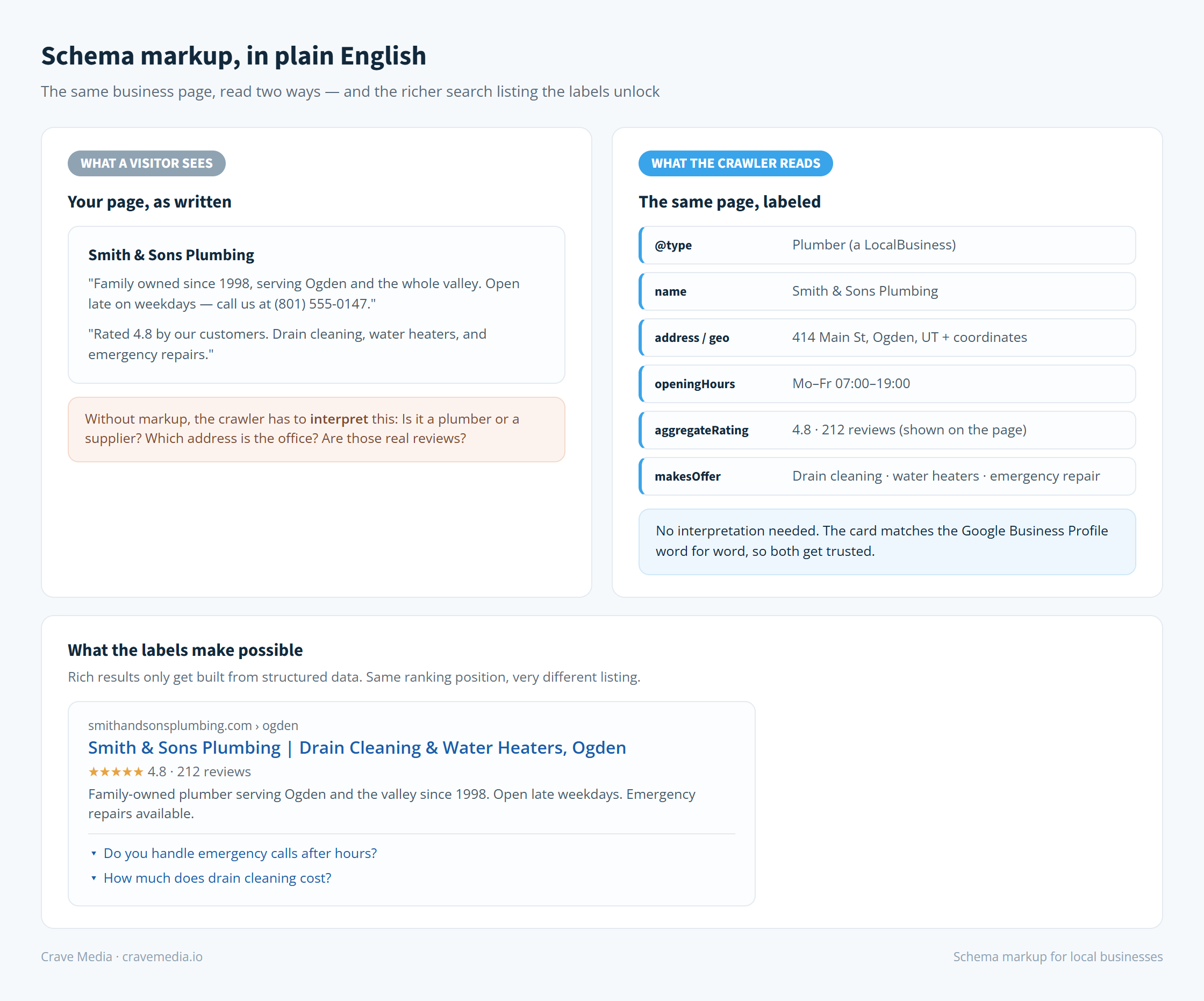
The same page, twice: what a visitor sees, and the labeled version a search engine reads. The labels are what make the richer search listing possible.
What it does for a local business
Three things, in descending order of certainty.
First, it makes you eligible for richer search listings. Star ratings under your link, FAQ dropdowns, breadcrumbs, event and service details. Google only builds those enhanced results from structured data, so a competitor with markup can show stars and extra lines while you show a plain blue link. Same ranking position, very different click. None of it is guaranteed (Google decides when to show rich results), but without markup you're not even in the running.
Second, it removes ambiguity about who and where you are. For local search that matters a lot, because Google is constantly deciding whether you're relevant to "plumber near me" searches from a specific neighborhood. A LocalBusiness card with your exact name, address, phone, geo coordinates, and service area gives it the confident match. That card should agree, word for word, with your Google Business Profile, because the two get cross-referenced, and mismatches erode trust in both.
Third, and newer: AI tools read it too. When ChatGPT or Google's AI results summarize "best HVAC companies in Ogden," they lean on sources that state facts in machine-readable form. Our sister site covers that angle in depth in schema markup for service businesses and AI search, but the short version is that the index card now gets read by more robots than just Google's crawler.
What it won't do
Schema markup is not a rocket strapped to your rankings. Google has said for years that structured data by itself isn't a ranking factor, and our experience matches that: adding schema to a site on page five leaves it on page five.
What it changes is how your listing looks and how confidently Google understands you, which shows up as better click-through rates and fewer misfiled pages, and occasionally as an edge in map-pack and AI-answer situations where disambiguation matters. It's a multiplier on an SEO foundation, never a substitute for one. If the foundation itself is the problem, that's SEO work, and schema is one line item inside it.
The types worth having
Schema.org lists hundreds of types. A local service business needs about four.
LocalBusiness is the non-negotiable one, and you should use the most specific subtype that fits: Plumber, Electrician, RoofingContractor, Dentist. It carries your name, address, phone, hours, geo coordinates, service area, and links to your profiles.
Service types describe what you sell (drain cleaning, panel upgrades, water heater replacement) and connect each service page to the business.
FAQPage marks up genuine question-and-answer sections so they can appear as dropdowns under your listing.
AggregateRating and Review markup can put star ratings on your search listing, with one big rule: the reviews have to be real reviews displayed on that page of your site. Marking up your Google review score without showing the reviews violates Google's guidelines and can get all your rich results pulled. If reviews are thin, fix that first (we wrote a whole playbook on getting more Google reviews), then mark them up.
How to add it without writing code
If your site runs on WordPress, an SEO plugin like Yoast or Rank Math will generate LocalBusiness markup from a settings form. Squarespace and Wix build basic markup automatically and accept pasted JSON-LD for the rest. For anything custom, Google's own Structured Data Markup Helper will generate the code block, and whoever manages your site pastes it into the page template once.
Then validate. Google's Rich Results Test takes your URL and tells you what markup it found, what's eligible for rich results, and what's broken. Run it after any site redesign too, because rebuilds have a habit of silently dropping the markup nobody remembered was there.
The whole job for a typical local site is a few hours. The maintenance is near zero as long as someone updates the card when reality changes.
The mistakes we see most
The same handful of problems show up in almost every audit we run. Markup that disagrees with the Google Business Profile, usually an old address or an outdated phone number, which turns a trust signal into a red flag. Star-rating markup pointing at reviews that don't exist on the page. A LocalBusiness block pasted onto all forty pages of the site instead of living on the homepage and contact page, where it belongs. Hours that still say "closed Sundays" two years after Sunday service started. And homemade markup that was never run through a validator, sitting there broken since the day it went live.
Every one of these is cheap to fix. The expensive part is not knowing it's happening while your listing quietly underperforms.
The card is worth filling out
Schema markup is unglamorous even by SEO standards. No dashboard lights up when it's done, and you'll never catch it working in the act. But search runs on machines' confidence in what your pages mean, and you can either leave that confidence to interpretation or hand over the index card.
If you're not sure whether your site has markup, or whether what's there is broken, that's a two-minute check for us. Ask for a free audit and we'll tell you what Google currently sees, schema and all.

About the author
Zac Spencer is an online marketing specialist and the owner of Crave Media, based in Salt Lake City, Utah. Since 2013 he has managed hundreds of Google Ads accounts across dozens of industries — with budgets from a few hundred dollars to $250K a month — and run SEO for local businesses, ecommerce shops, and international franchises.