
Websites · September 18, 2026
Fix these conversion basics before paying for traffic

By Zac Spencer · Owner, Crave Media
There's a point where the website feels done and the next move looks obvious: buy traffic. Google Ads, Local Service Ads, a Facebook budget, whatever gets strangers to the site. Before you spend a dollar, run through the website conversion basics below. Every item is checkable in an afternoon, and every item decides whether a paid click turns into a phone call or a bounce you paid for.
Nobody's selling you a redesign here. Most of these fixes are small. But small leaks get expensive the minute you start paying per visitor, because ads don't fix a site. They multiply it.
Why the site comes before the budget
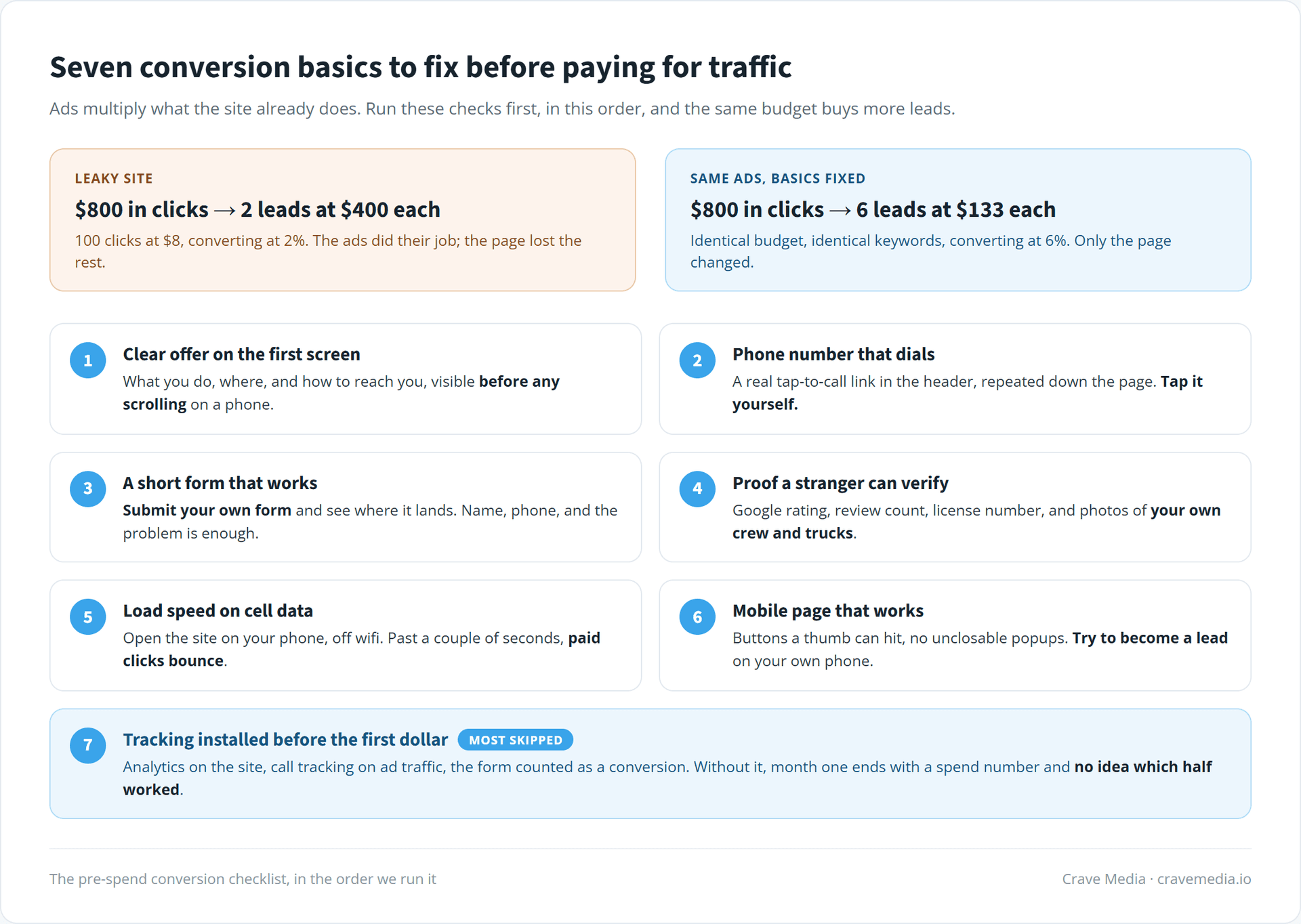
Quick math. Say a click in your market costs $8 and you buy 100 of them. At a 2% conversion rate, that $800 bought you two leads at $400 apiece. Get the same site converting at 6% and the identical $800 buys six leads at $133 each. Nothing about the ads changed. The campaign didn't get smarter. The page just stopped losing people.
One of our clients converts Google Ads traffic at 13.46%, which is the kind of number that makes a modest budget behave like a big one. The campaigns are well built, but that rate lives on the website. The offer is plain and the form works. None of it is clever.
The reverse is the trap. When a site leaks, the instinct is to raise the ad budget, and now you're paying retail prices to watch more people leave. Fix the container first. Then fill it.
The website conversion basics, in order
Seven checks, sequenced the way we run them in an audit. None of them need a designer, and only one of them is likely to need a developer.
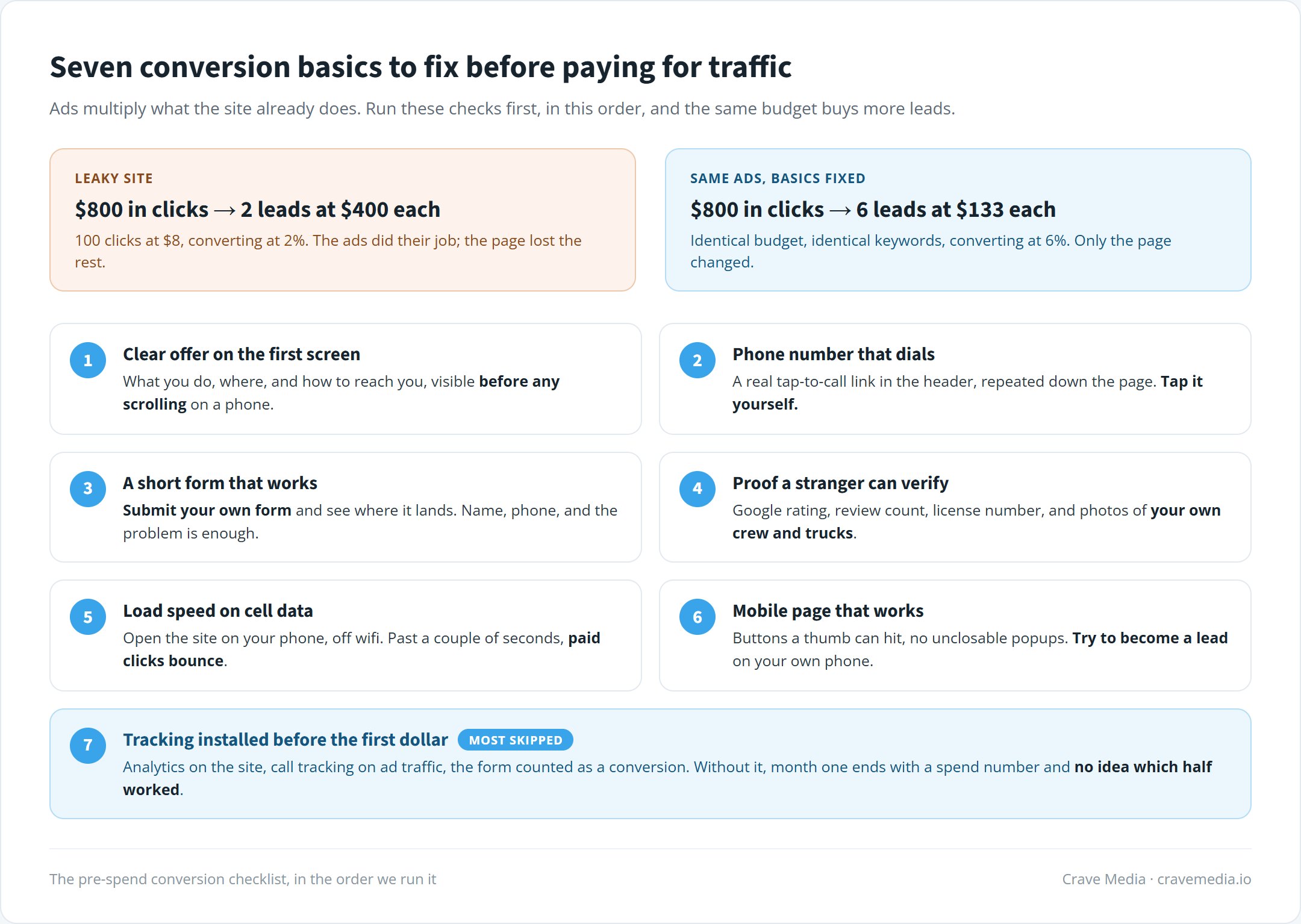
The seven checks, in the order we run them. An afternoon of fixes before a month of spend.
A clear offer on the first screen
Load your homepage on a phone and look at what's visible before any scrolling. A stranger should be able to tell what you do and where you do it inside a couple of seconds, with one obvious way to reach you sitting right there. "Furnace repair in Ogden, call now" passes. "Comfort solutions for the modern home" fails, even over a gorgeous photo.
Paid visitors are less patient than organic ones. They clicked an ad that promised something specific, and if the first screen changes the subject, the back button is right there. We went through the whole page zone by zone in what a high-converting local business website looks like, but the first screen carries most of the weight, so start there.
Tap your own phone number
Most of your paid traffic will arrive on a phone. The number in your header needs to be a real tel link, so one tap starts the call. Test it yourself: pull up the site on your phone and tap the number. If nothing happens, or a contact page opens instead of the dialer, you have a leak sitting on top of your most valuable action.
While you're there, check that the number appears more than once. Once in the header and again after the reviews, at minimum. Someone who's ready to call at the halfway point shouldn't have to scroll hunting for it.
Submit your own contact form
Fill out your own contact form this week, all the way through the submit button. Then see whether the message shows up, where it lands, and how long it would sit before anyone noticed.
Dead forms are the most common failure we find in audits, and the most expensive, because they fail silently. The site looks fine, the ads spend, and the leads fall into a broken plugin or an inbox nobody checks. If I could make every business owner do one thing on this list, it's this one. It costs nothing and it catches the worst leak on the page.
Then trim it. Name, phone, and a sentence about the problem is enough for a local business. Every extra field costs you submissions, and a required street address or a "how did you hear about us" dropdown costs the most. Ask the rest on the phone call the form just earned you.
Proof a stranger can verify
A paid visitor has never heard of you. Before they call, they want a reason to believe you're real: a Google rating with a review count, a license number, photos of your own crew and trucks. Put a row of that near the top and real reviews further down.
This one takes the least work of anything here. Most businesses already have the reviews and the photos. They just never put them on the page.
Load speed, felt on cell data
Open your site on your phone, off wifi, and count. If you're waiting past a couple of seconds, a chunk of your paid clicks is gone before your headline ever renders, and you were charged for every one of them. Google's PageSpeed Insights will give you the technical version for free, but your own thumb on a cell connection tells you the truth.
Speed is the item on this list most likely to need real work instead of an afternoon. Sometimes it's an oversized hero video you can swap out today. Sometimes it's a decade of WordPress plugins, and the honest answer is a rebuild. The sites we design and build load in under a second, and the reason is the arithmetic at the top of this post: at paid-click prices, a slow site is a recurring bill.
The rest of the phone experience
Speed is half of it. The other half is whether the page works with a thumb. Buttons big enough to hit, text readable without zooming, no popup that can't be closed on a small screen, a form you can complete without rage. Go through your own site on your phone and try to become a lead. Every spot where you hesitate, a paid visitor already left.
Tracking installed before the first dollar
This is the item everyone skips, and it's the one that makes the other six improvable. Before the campaign starts, you want analytics on the site, call tracking on the ad traffic, and the form wired up as a conversion. Otherwise month one ends with a spend number, a vague sense of the phone ringing, and no way to know which half of the budget did the work.
Tracking isn't glamorous and nobody's customers ever see it. But it's the difference between "the ads didn't work" and "search converted at 9% while display burned $400, so move the money." One of those sentences ends the campaign. The other one fixes it.
Spend the afternoon, then spend the money
If your site passes all seven checks, buy the traffic with a clear conscience. You'll get more from the same budget than a competitor pouring clicks into a leaky page, and your tracking will show you where to push next. From there, the next question is where the ads should land, and we covered that decision in landing pages vs homepages.
If you're not sure whether your site passes, that's exactly what a free audit is for. We'll go through these checks on your site, show you where the leaks are, and tell you honestly which ones are afternoon fixes and which ones aren't. Cheaper to find out now than three months into an ad budget.

About the author
Zac Spencer is an online marketing specialist and the owner of Crave Media, based in Salt Lake City, Utah. Since 2013 he has managed hundreds of Google Ads accounts across dozens of industries — with budgets from a few hundred dollars to $250K a month — and run SEO for local businesses, ecommerce shops, and international franchises.